Step-by-Step Etsy Advertising Guide for Higher ROI
Unlock higher ROI with our step by step Etsy advertising guide! Master your ad spend and turn clicks into sales with actionable strategies.

You've set your daily budget, clicked "Advertise," and watched your dollars disappear into Etsy's system. A week later, you have clicks but no clear picture of whether any of them turned into sales. This scenario plays out for thousands of Etsy sellers every day. Ad spend without clear attribution is just guessing with money. This guide gives you a practical, step-by-step roadmap for launching, managing, and improving Etsy Ads with a data-driven approach. Every section builds toward one outcome: higher return on every dollar you invest.
Table of Contents
- What you need before starting Etsy Ads
- How to set up your first Etsy Ads campaign
- Which listings to advertise for the best results
- Monitoring, measuring, and optimizing your campaigns
- Common mistakes and advanced strategies for Etsy Ads
- The IndiePixel perspective: What most guides get wrong about Etsy Ads
- How IndiePixel helps you go further with Etsy Ads
- Frequently asked questions
Key Takeaways
| Point | Details | | --- | --- | | Pick proven listings | Only advertise products with sales history and strong reviews to increase ROI. | | Start low, test often | Begin with a small daily budget and give campaigns at least 14-30 days for accurate trends. | | Track key metrics | Focus on CTR, ROAS, conversions, and consistently analyze performance to guide your decisions. | | Avoid quick changes | Let campaigns run long enough before making adjustments so you don’t reset Etsy’s learning period. | | Combine ads and SEO | Use both advertising and organic growth for sustainable long-term results. |
What you need before starting Etsy Ads
Once you understand the pitfalls of guessing with ad spend, it's time to lay a solid foundation for profitable Etsy Ads. Starting too early or too randomly is one of the most common budget drains sellers face.
First, the platform has a hard rule: Etsy requires a 15-day waiting period after opening a shop before you can start running ads. Use that time wisely. Optimize your listings, gather your first reviews, and study your organic traffic in Etsy's Shop Stats.
Key prerequisites for ad readiness:
- Your shop has been open for at least 15 days
- You have at least 3 to 10 listings that have recorded organic sales
- Your listing photos are high-resolution and accurately represent the product
- Your titles and tags are optimized for relevant search terms
- You have a defined ad budget planning strategy in place before day one
For budget, the practical starting point is to start with $1-5/day on 3-10 top listings. This controlled approach gives you real performance data without heavy financial risk. Spreading too thin across 30 listings at $1/day each produces unreliable data. Concentrating spend on a few strong products produces clear signals.
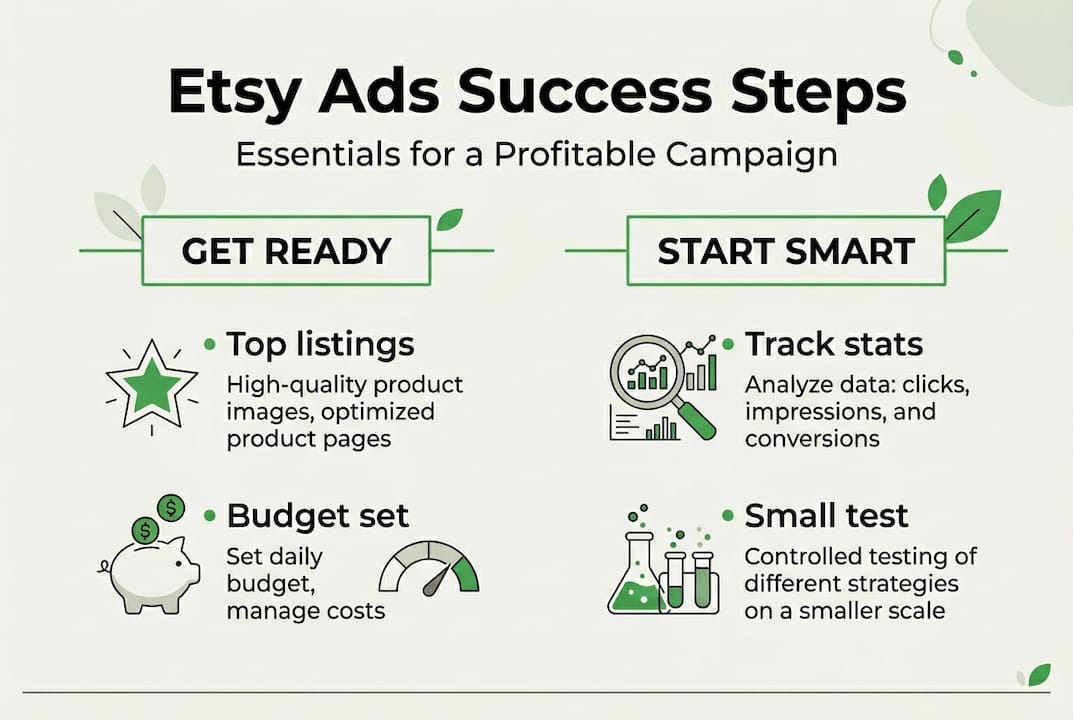
Here is a quick reference for your pre-launch checklist:
| Requirement | Minimum standard | Why it matters | |---|---|---| | Shop age | 15+ days | Platform eligibility | | Listing sales history | 3+ organic sales | Proven demand signal | | Photo quality | High-resolution, clean background | Drives click-through rate | | Price and margin | $10+ profit after fees | Supports positive ROAS | | Listing reviews | At least 1 to 3 positive reviews | Builds buyer confidence |
Tracking your results from week one is non-negotiable. Export your Etsy Ads stats every week from the Marketing tab. This raw data, combined with your key ad metrics baseline, is what you'll use to identify patterns over time.
Pro Tip: Before spending a single dollar on ads, run your top listings organically for at least 30 days and note which ones convert above 1.5%. Those are your ad candidates.
How to set up your first Etsy Ads campaign
With your prerequisites in place, you're ready for the hands-on setup of your first campaign. The interface is straightforward, but understanding each decision point helps you avoid costly early mistakes.
Step-by-step campaign setup:
- Log in to your Etsy seller account and open Shop Manager
- Navigate to Marketing, then select Etsy Ads
- Set your daily budget (minimum $1) in the budget input field
- Choose whether to advertise all listings or select specific ones (select specific ones for tighter control)
- Click Start Advertising to activate your campaign
That's the technical setup. What matters more is what you choose and why.
Your daily budget is a hard cap. Etsy Ads operate on a cost-per-click model with daily charges, meaning you never spend more than the limit you set. Each time a shopper clicks your promoted listing, you pay a cost-per-click (CPC) fee. You do not pay for impressions, only clicks. This is important to understand because a high number of impressions with low clicks signals a relevance or photo issue, not an ad platform problem.
Etsy's ad auction process determines where your listings appear. Etsy considers your bid, listing quality, relevance, and conversion history when placing your ad. You don't set individual bids manually. Instead, Etsy's algorithm optimizes placement based on the data it has about your listing.
Important: Etsy Ads is not a quick-sales lever. New campaigns need at least two weeks of data before you draw conclusions. Resist the urge to pause or adjust daily during this period.
Pro Tip: When you first launch, advertise only your 3 to 5 best-performing listings. This keeps your data clean and your learning period short. You can expand once you have clear winners.
First-time sellers often expect immediate results. The reality is that the first two weeks are a data collection period. Etsy's system learns which shoppers respond to your listing, which search positions generate clicks, and what time of day your ads perform. Patience during this window directly affects the quality of your campaign's long-term performance.
Which listings to advertise for the best results
After mastering ad setup, smart listing selection is the next critical lever for maximizing your Etsy Ads investment. Many sellers make the mistake of advertising everything or advertising their newest products first.
The core principle is simple: advertise listings with proven organic conversion of 1.5 to 2% or higher, at least 5 sales, a $10 or more margin, and strong photos and reviews. Ads are not a tool for generating first-time data on unknown products. They are a tool for scaling what already works.
Use this comparison to assess your listings before adding them to a campaign:
| Trait | Ready for ads | Not ready for ads | |---|---|---| | Organic conversion rate | 1.5% or higher | Below 1% | | Sales history | 5+ sales | 0 to 2 sales | | Review count | 3+ positive reviews | No reviews | | Profit margin | $10+ after Etsy fees | Below $5 per sale | | Photo quality | Professional, multiple angles | Single low-resolution image | | Title and tag optimization | Keyword-rich and relevant | Generic or keyword-sparse |
Avoid advertising new, low-margin, or poorly optimized listings. When you push ad budget behind a listing that hasn't proven itself organically, you are paying Etsy to test whether your product works. That testing phase should happen without paid spend.
Common listing selection mistakes:
- Adding every listing in your shop to your campaign by default
- Advertising seasonal items outside their peak season
- Promoting handmade products with a $3 or less profit margin after fees
- Running ads on listings with a single photo and no reviews
- Treating low organic traffic as a signal that ads will help
The right selection process is rooted in optimizing listing quality before any ad budget is applied. Think of it this way: ads magnify what your listing already does. A listing that converts at 2% organically might convert at 2.5% with added visibility. A listing that converts at 0.3% organically will still convert poorly, and you'll pay for every click along the way.
Mastering Etsy SEO basics is part of this foundation. If your titles and tags don't match what shoppers are searching for, your ads will generate impressions but low-quality clicks.
Pro Tip: Sort your listings by conversion rate in Etsy's Stats dashboard. The top five by conversion rate are your starting ad candidates, assuming they also meet the margin requirement.
Monitoring, measuring, and optimizing your campaigns
With the right listings chosen, ongoing success comes from methodical tracking and iterative improvement. Running Etsy Ads without a measurement framework is the fastest way to lose budget without learning anything.
Core KPI definitions every Etsy seller should know:
| KPI | What it measures | Target benchmark | |---|---|---| | Impressions | How often your ad appeared in search | Higher is better for visibility | | Clicks | How many shoppers clicked your ad | Should grow with budget and relevance | | CTR (click-through rate) | Clicks divided by impressions | 1% or higher is healthy | | Orders | Purchases attributed to your ads | Primary success metric | | Revenue | Total sales from ad clicks | Must outpace ad spend | | ROAS | Revenue divided by ad spend | 2.8 to 4x overall; pause below 2x | | CPC | Average cost per click | Lower CPC with high conversion is ideal |
Review these metrics over 30 days to identify trends rather than reacting to single-day spikes or dips. Etsy Ads data fluctuates day-to-day due to platform traffic patterns, seasonal demand, and algorithm changes. A 30-day view smooths that noise and shows you which listings are genuinely delivering.
Optimization workflow by week:
- Week 1 to 2: Collect data only. Do not pause, adjust budget, or add listings
- Week 2 to 4: Review CTR and CPC by listing. Identify outliers with high spend and zero orders
- After 30 days: Pause listings that have received 100+ clicks without a single sale
- After 60 days: Scale budget incrementally on listings achieving 3x ROAS or higher
- Ongoing: Export weekly data and log it in a spreadsheet for trend analysis
ROAS benchmarks vary by product type: digital products should target 2x or more, clothing and print-on-demand items should aim for 4 to 5x or higher, and overall shop ROAS between 2.8 and 4x represents a healthy campaign. Anything below 2x is a signal to pause and re-evaluate.
Key insight: A listing with a 6x ROAS at $2/day is more valuable than a listing with a 2.5x ROAS at $10/day. Scale the former, not the latter.
Use KPI tracking tips to build a consistent weekly review habit. Pair this with analytics for ROI insights to connect your ad data to broader business performance.
Common mistakes and advanced strategies for Etsy Ads
Optimizing campaigns is ongoing, but avoiding major pitfalls and applying advanced methods can compound your ad success considerably.
Mistakes that drain budgets without results:
- Adjusting your daily budget every day or two. Frequent changes reset the learning period of Etsy's algorithm, which means you never get reliable performance data
- Spending less than $20 to $50 per listing in the testing phase. Low spend generates misleading data because the sample size is too small to reflect real shopper behavior
- Ignoring thin margins. Products with margins below 30 to 40% require a significantly higher ROAS just to break even, making profitable ad campaigns extremely difficult to sustain
Advanced strategies for established sellers:
- Scale budgets incrementally, no more than 20% at a time, to avoid disrupting the algorithm's optimization
- Use your ad data as a ranking signal. Listings that gain clicks and conversions through ads also tend to improve in organic search rankings over time
- Balance paid ads with ongoing SEO work. Ads that drive traffic to a well-optimized listing create a compounding effect on visibility
Ads amplify organic success but will not fix a flawed listing. The best ROI consistently comes from established sellers who already have a proven product-market fit. If you're new to a niche or have not confirmed organic demand, focus on organic growth first.
Investing in tracking conversion accuracy helps you understand exactly which clicks lead to purchases. Without attribution data, you're making optimization decisions based on incomplete information. Before you scale any campaign, confirm that your conversion tracking is capturing actual purchase events, not just visits.
Pro Tip: If a listing is consistently generating clicks but no orders after 30 days, the problem is rarely the ad itself. Review the listing for price competitiveness, photo quality, and shipping speed before pausing the ad entirely. Address the listing flaws first.
The IndiePixel perspective: What most guides get wrong about Etsy Ads
Most Etsy Ads guides focus on the mechanics: how to set up, what to click, and when to pause. That's useful. But there's a deeper problem that mechanics alone can't solve.
Most sellers chase more traffic. They raise budgets hoping volume will produce results. But data-driven Etsy ad tips consistently point to a different truth: better traffic beats more traffic every time. Targeting the wrong shoppers at high volume burns money faster than a small, precise campaign on a proven listing.
The "set it and forget it" mindset is the other major failure point. Profitable ad campaigns require weekly accountability, not monthly check-ins. Every week you delay reviewing your ROAS data is a week you may be funding a losing listing.
The sellers who win with Etsy Ads share one behavior: they treat every dollar spent as a data purchase. They collect, analyze, and act on specific KPIs, not feelings about whether the campaign "seems" to be working. Incremental testing, consistent KPI review, and a willingness to pause underperformers without emotion are the real competitive advantages. Copying a competitor's ad strategy without understanding your own margins and conversion data is a shortcut to wasted spend.
How IndiePixel helps you go further with Etsy Ads
Armed with a strategy, it's time to leverage powerful tools that help you track and scale with real confidence.
Etsy's native analytics only tell part of the story. You can see clicks and impressions, but connecting those to actual purchase events, especially when running external ads on Facebook, TikTok, or Google, requires a more capable system.
IndiePixel is built specifically to close that gap for Etsy sellers. Our Etsy ad tracking tools give you purchase attribution data, conversion API synchronization, and a unified dashboard that connects your ad spend directly to confirmed sales. You can also use our cart count checker to validate demand signals before committing budget to a campaign. If you're ready to move from guessing to knowing, IndiePixel gives you the data infrastructure to make every ad dollar count.
Frequently asked questions
When can I start running Etsy Ads on a new shop?
You can launch Etsy Ads 15 days after opening your shop, once your account meets Etsy's eligibility requirements.
What is a good daily budget for starting Etsy Ads?
Starting with $1-5/day on 3-10 listings is the most practical approach for new sellers, as it generates usable data without significant financial risk.
Which listings should I advertise on Etsy?
Prioritize listings with 5+ sales and 2% conversion or higher organically, strong photos, at least a few positive reviews, and a profit margin of $10 or more after Etsy fees.
How long should I give my campaign before judging results?
Review metrics over 30 days for reliable trend data, but give individual listings at least 14 days of spend before making any pause decisions.
What is a good ROAS benchmark for Etsy Ads?
A ROAS of 2.8 to 4x is considered healthy overall, though digital products and print-on-demand items should target higher thresholds based on their specific margin structures.