Etsy paid ads best practices that maximize ROI
Discover key paid ads best practices to boost your Etsy ROI. Learn which listings to promote and how to maximize your advertising spend.

Running paid ads on Etsy without a clear framework is one of the fastest ways to drain your budget with little to show for it. Many sellers boost the wrong listings, switch up campaigns too soon, and overlook the tracking data that could actually guide smarter decisions. This article lays out a practical, research-backed approach to Etsy paid ads, covering which listings to advertise, how to let the algorithm do its job, which metrics to watch, and how to use attribution data to make every dollar count.
Table of Contents
- Define your ad-ready listing criteria
- Let algorithms optimize: Structuring and timing your campaigns
- Track the right KPIs: Measuring ad success and ROI
- Master tracking and attribution: Using Etsy Stats and dashboards
- When to scale, pause, or shift your ad strategy
- The uncomfortable truth about Etsy paid ads: Experience vs. theory
- Ready to take your Etsy ads further?
- Frequently asked questions
Key Takeaways
| Point | Details | | --- | --- | | Only advertise proven listings | Focus paid ads on products with strong organic sales and conversion rates to maximize ROI. | | Allow time for algorithm optimization | Run campaigns for at least 30 days before making major changes to let Etsy's algorithm adapt. | | Monitor essential KPIs | Use ROAS, CTR, conversion rate, and CPC benchmarks to measure ad effectiveness and guide decisions. | | Track attribution carefully | Leverage Etsy's Stats dashboard to understand which sales and traffic come from paid ads. | | Combine organic and ad strategies | Use paid ads to amplify listings that are already optimized, not to fix underperformers. |
Define your ad-ready listing criteria
Before you spend a single dollar on ads, you need to know which listings deserve that investment. Ads amplify what is already working. They do not rescue listings that are struggling to convert on their own.
The starting point is organic performance. According to Etsy ads best practices, you should advertise only listings with at least 5 to 10 organic sales, a conversion rate above 1.5 to 2%, and a profit margin that can absorb ad costs, such as $10 or more per sale on an average order value of $20 or higher. These thresholds exist because Etsy's ad algorithm uses listing quality signals to determine how often your ad appears and at what cost. A weak listing gets poor placement, and you pay more per click for worse results.

Think about what this means practically. If you have a listing with 50 views and zero sales, ads will not fix the underlying problem, whether that is unappealing photos, weak pricing, or a title that does not match buyer search intent. Knowing how to improve your listing conversion rate before turning on ads is a foundational step, not an afterthought.
Here is a quick checklist of ad-readiness criteria:
- At least 5 to 10 confirmed organic sales
- Conversion rate of 1.5% or higher (ideally above 2%)
- Clear profit margin after Etsy fees and cost of goods, with room for ad spend
- Strong primary photo that performs well in search results
- Title, tags, and attributes fully optimized for relevant search terms
- Positive reviews or at minimum a neutral reviews record
Use this table to evaluate your listings before running ads:
| Criteria | Minimum threshold | Ideal target | |---|---|---| | Organic sales | 5 sales | 10 or more sales | | Conversion rate | 1.5% | 2% or higher | | Profit per sale | $10 | $15 or more | | Average order value | $20 | $30 or more | | Review rating | 4.0 or above | 4.5 or above | | Photos updated | Yes | Yes, A/B tested |
Pro Tip: Before activating ads on any listing, run through the improving listing conversions checklist. Optimizing photos, pricing, and SEO first raises your listing quality score, which directly lowers your cost per click when ads do go live.
Let algorithms optimize: Structuring and timing your campaigns
Once you have identified ad-ready listings, campaign structure and timing are your next priorities. Etsy Ads use automatic bidding, meaning you set a daily budget and the algorithm determines your cost per click (CPC) based on your listing quality score, click-through rate (CTR), conversion signals, dwell time on your listing, and historical performance data.
This is important: you are not setting individual bids. You are setting a budget ceiling and trusting the system to allocate spend across your advertised listings. Your job is to give the algorithm enough data to learn from, and that takes time.
Here is how to structure your campaigns effectively:
- Set a realistic daily budget. Start with $3 to $5 per day for testing. This gives you meaningful data without overcommitting before you know which listings perform under paid traffic.
- Advertise a curated set of listings. Do not advertise every listing in your shop. Focus on your 3 to 5 strongest performers based on the criteria from the previous section.
- Let campaigns run for at least 30 days. According to the Etsy Seller Handbook, the algorithm needs a minimum of 30 days to optimize based on user interactions. Making major changes before this window closes resets the learning cycle.
- Avoid abrupt pausing and restarting. Stopping and restarting campaigns frequently disrupts data accumulation and forces the algorithm to relearn from scratch.
- Expand budgets gradually. Once a campaign shows positive return on ad spend (ROAS), increase the daily budget by 20 to 30% at a time rather than doubling it overnight.
"Patience is an active strategy in Etsy Ads. The algorithm is continuously learning from shopper behavior, and interrupting that process with constant changes is the most common reason campaigns fail to improve over time."
A 30-day Etsy ads strategy helps you map out what decisions to make, and when, so you are not reacting impulsively to short-term data swings. Check the data, but do not act on it daily. Weekly reviews are sufficient during the first month.
Pro Tip: If you need to make adjustments, change one variable at a time, such as adding or removing a listing. Changing your budget, your listing set, and your campaign settings simultaneously makes it impossible to identify what caused any shift in results. Explore advanced Etsy ads strategies once your baseline campaigns are stable.
Track the right KPIs: Measuring ad success and ROI
Running campaigns without measuring the right key performance indicators (KPIs) means you are flying without instruments. Four metrics matter most for Etsy paid ads, and each tells a different part of the story.
Here is what each metric measures and why it matters:
- ROAS (Return on Ad Spend): Revenue generated divided by ad spend. A ROAS of 3x means you earned $3 for every $1 spent. This is your primary profitability signal.
- CTR (Click-Through Rate): The percentage of shoppers who clicked your ad after seeing it. A strong CTR indicates your photo and title are compelling in search results.
- Conversion Rate: The percentage of ad clicks that resulted in a purchase. Low conversion rates on paid traffic often signal a listing page problem, not an ad problem.
- CPC (Cost Per Click): What you pay each time someone clicks your ad. This varies by competition and listing quality score.
Based on industry benchmarks, here is what typical Etsy ad performance looks like:
| Metric | Typical range | Strong performance | |---|---|---| | CTR | 1% to 3% | Above 3% | | Conversion rate | 2% to 5% | Above 5% | | CPC | $0.15 to $0.75 | Below $0.40 | | ROAS | 2x to 4x | Above 4x |
If your CTR is below 1%, your photo or title is the issue. If CTR is solid but conversion rate is low, the listing page itself needs attention, including photos, description clarity, pricing, or shipping terms. If CPC is above $1.00 for a non-competitive niche, your listing quality score is likely dragging down efficiency.
Tracking Etsy ads KPIs on a consistent schedule, weekly during month one and biweekly thereafter, helps you identify trends rather than reacting to single-day data points that may not be statistically meaningful.
Stat callout: Sellers who actively monitor ROAS and adjust their advertised listing set monthly report significantly more predictable ad performance than those who set and forget campaigns. Consistent measurement is what separates data-driven sellers from budget-burning ones.
Master tracking and attribution: Using Etsy Stats and dashboards
Knowing your KPIs is only useful if you know where to find reliable data. Etsy provides a built-in attribution tool that many sellers underutilize or misread.
Here is how to access and interpret your ad attribution data:
- Navigate to Etsy Stats. From your Shop Manager, go to Stats and then select the Marketing or Etsy Ads dashboard. This is where you see ad-attributed views, clicks, orders, and revenue.
- Review traffic sources. The shop stats section breaks down where your visits come from, including Etsy Ads, organic Etsy search, direct traffic, and social. This helps you understand what portion of your revenue is ad-driven versus organic.
- Export your data. Etsy allows you to export stats data as a CSV file. This gives you the ability to do deeper analysis in a spreadsheet, compare periods, and identify listing-level trends that the dashboard interface does not surface easily.
- Track Offsite Ads separately. Offsite Ads (where Etsy advertises your listings on Google, Facebook, and Pinterest) operate on a different model with a sale-based fee. According to the Etsy Seller Handbook, attribution for Offsite Ads is tracked separately from on-platform Etsy Ads, so do not conflate the two when calculating ROAS.
Key things to look for in your attribution data:
- Which listings are generating clicks but zero conversions under paid traffic
- Which listings have a higher conversion rate on ad traffic versus organic traffic
- Whether your ad spend is concentrated on your highest-revenue listings or spreading too thin
- Seasonal shifts in CTR and conversion rate that warrant budget reallocation
Pro Tip: Use the traffic source breakdown in shop stats to identify listings that get strong organic traffic but low conversion rates. These are hidden opportunities. Fix the listing first, then test it with paid ads. This is exactly the kind of insight that conversion tracking for Etsy ads and Google Ads tracking for Etsy can surface when you run external campaigns alongside your Etsy Ads.
When to scale, pause, or shift your ad strategy
Data without action is just noise. Once you have your KPIs and attribution data in hand, you need clear rules for when to scale, when to pause, and when to pivot.
Scale when:
- ROAS is consistently above 3x for two or more consecutive weeks
- Conversion rate on ad traffic meets or exceeds your organic conversion rate
- The listing is generating sales velocity that boosts its organic ranking, creating a compounding effect
- You have room to increase daily budget without exceeding your profit threshold per sale
Pause when:
- Conversion rate has been below 1% for 30 days of consistent ad spend
- CPC has risen above your per-sale profit threshold, making each click unprofitable even if a sale occurs
- Attribution data shows clicks are coming in but no orders can be traced back to those clicks
- A listing has received significant ad spend with zero attributed sales after the 30-day learning window
Pivot when:
- Organic listings are outperforming ad-driven listings on ROAS, signaling that your budget is better spent on SEO and listing optimization
- A new listing shows strong early organic traction and qualifies for ad testing based on the criteria table above
- Your product mix has shifted seasonally and ads need to reflect that change in focus
One important distinction: ads boost organic rankings indirectly via sales velocity. When ads drive purchases, those sales signal to Etsy's search algorithm that the listing is relevant and popular, which can improve organic placement over time. This is one reason some sellers use ads strategically to accelerate a new listing's organic momentum, then reduce spend once organic ranking is established.
Pro Tip: Think of your ad budget as a spotlight, not a lifeline. Use it to amplify listings that are already growing. Review your proven Etsy ad strategies periodically to make sure your approach is still aligned with your shop's current top performers.
The uncomfortable truth about Etsy paid ads: Experience vs. theory
Here is a perspective that most guides skip: the majority of Etsy sellers who struggle with paid ads do not have an ad problem. They have a listing problem. The ad is just revealing what was already broken.
When a listing has a 0.5% conversion rate organically, running ads on it does not fix the photo quality, the pricing psychology, or the disconnect between the title and buyer intent. It just speeds up the burn rate. The uncomfortable truth is that ads amplify proven listings and do not fix poor ones. Sellers who optimize SEO, photos, and pricing before launching ads consistently report lower CPC and higher ROAS compared to sellers who use ads as a shortcut around foundational work.
There is also a tendency to overweight paid ads as a growth strategy when organic optimization, which is a one-time investment that compounds over time, often delivers better long-term ROI. Ads stop the moment you stop paying. A well-optimized listing keeps converting for months or years without additional spend.
The smartest Etsy ad strategies we see are the ones where sellers treat ads as a confirmation tool rather than a correction tool. They build the listing, prove it organically, then use ads to scale what the data already shows is working. The sellers who skip that sequence spend more, earn less, and give up on ads entirely, concluding that they "don't work" when the real issue was sequence, not the channel. Explore listing improvement strategies before revisiting your ad spend allocation.
Ready to take your Etsy ads further?
Applying these best practices inside Etsy Ads is a strong start. But if you are running external campaigns on Facebook, TikTok, or Google Ads to drive traffic to your Etsy shop, Etsy's native stats dashboard only tells part of the story.
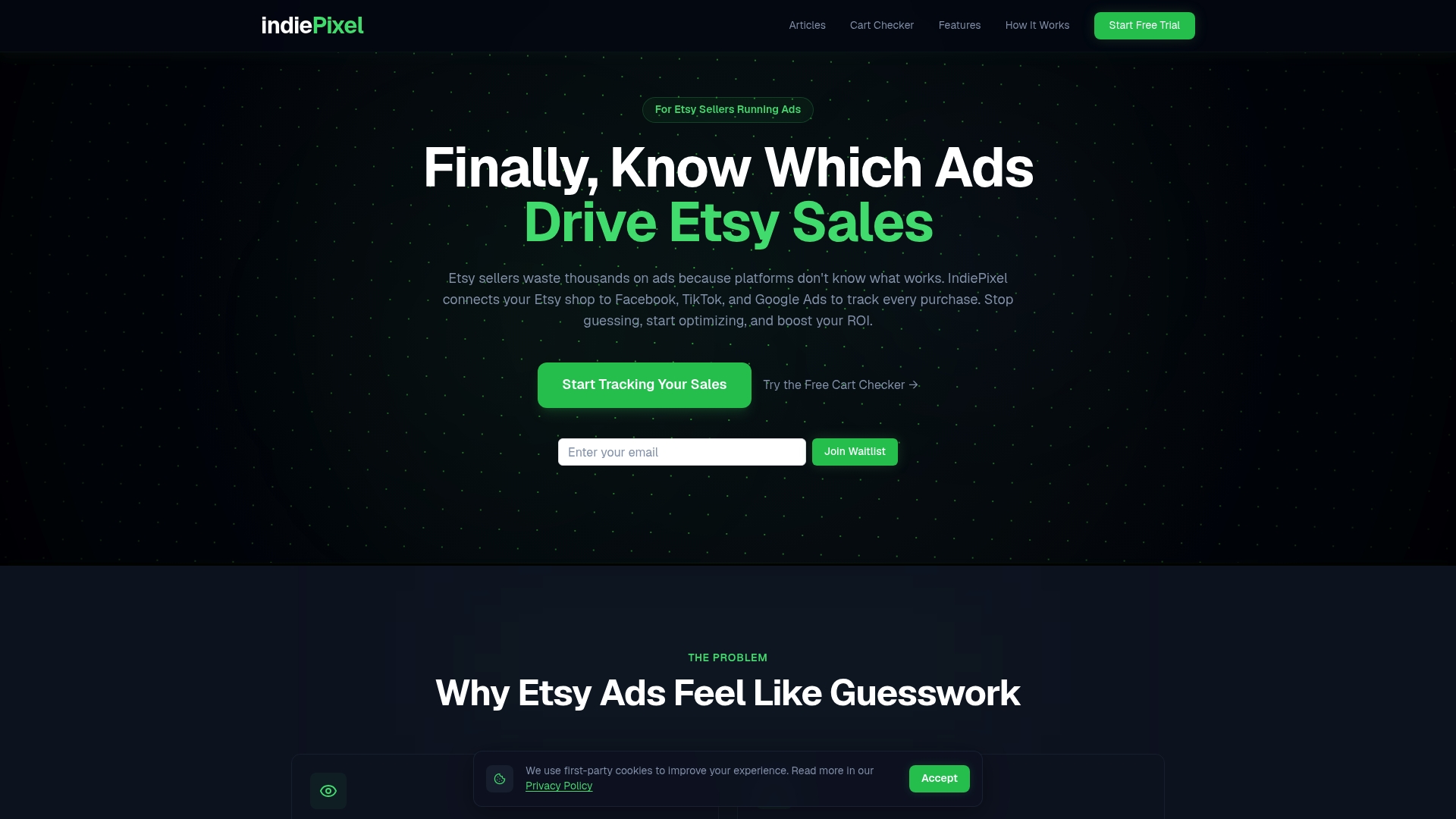
IndiePixel bridges that data gap by capturing purchase signals and sending accurate conversion data back to your ad platforms. Instead of guessing which campaign drove a sale, you get clear attribution at the listing level, across every channel. If you are ready to stop guessing and start scaling with real data, explore Etsy ad tracking solutions built specifically for Etsy sellers. You can also learn more about tracking conversions externally to see exactly how the data flow works before committing to a setup.
Frequently asked questions
How long should I run an Etsy ad campaign before making changes?
It's best to run campaigns for 30 days minimum before major adjustments so Etsy's algorithm can optimize based on real user interaction data.
What are the key metrics for Etsy ad performance?
Essential metrics include ROAS, CTR, conversion rate, and CPC. According to Etsy ads benchmarks, typical CTR runs 1 to 3% and conversion rates fall between 2 and 5% for well-optimized listings.
How do I track which sales came from Etsy ads?
Use the Etsy Stats dashboard under Marketing to track ad-attributed views, clicks, orders, and revenue, then export the data for deeper listing-level analysis.
Should I advertise new listings or proven performers?
Ads are most effective for listings with an established organic sales record and a solid conversion rate. Focus your ad spend on proven performers rather than untested new listings.
Do Etsy Ads boost organic sales?
Ads can indirectly improve organic rankings by increasing sales velocity, which signals relevance to Etsy's search algorithm. Optimizing listing quality first is essential to make this effect work in your favor.