Upload Etsy Orders for Analysis: A Step-by-Step Guide
Learn how to export, upload, and analyze Etsy order data as CSV files in Google Sheets or Excel to optimize your ad campaigns and improve ROI.

If you're running paid ads on Facebook, TikTok, or Google and relying on gut feel to judge what's working, you're leaving money on the table. Every day without clean order data is a day your ad budget is flying blind. Manually piecing together sales from Etsy's dashboard is slow, error-prone, and nearly impossible to connect to specific campaigns. This guide walks you through the complete process of exporting your Etsy order data as a CSV file, importing it into Google Sheets or Excel, and setting up automation so your analysis stays current. By the end, you'll have a repeatable system that connects your orders to your ad performance.
Table of Contents
- Check prerequisites and gather your tools
- Export Etsy orders as CSV for upload
- Import data into Google Sheets or Excel for actionable analysis
- Automate recurring order uploads with Coupler.io
- What most Etsy sellers miss about order data analysis
- Level up your Etsy ad analysis with IndiePixel
- Frequently asked questions
Key Takeaways
| Point | Details | | --- | --- | | Start with clean order exports | Exporting accurate CSV files from Etsy is the essential first step for meaningful analysis. | | Analyze for insight, not just trends | Use tools like pivot tables to spot customer patterns and ad-attributed sales rather than just tracking totals. | | Automate when scaling ads | Scheduling recurring uploads ensures you always have fresh order data for faster optimization. | | Connect uploads to campaign strategy | Regular order uploads help tie performance back to specific ad decisions and maximize ROI. |
Check prerequisites and gather your tools
Now that you know why uploading order data matters, let's look at exactly what you'll need to get started.
Before you export a single file, make sure you have the right access and tools in place. Missing one of these upfront will slow you down later.
What you need:
- Etsy account with Shop Manager access: You must be the shop owner or have manager-level permissions to access order export settings.
- A spreadsheet tool: Google Sheets (free, browser-based) or Microsoft Excel both work well. Google Sheets is recommended for collaboration and QUERY functions.
- Basic CSV knowledge: You don't need to code, but you should know how to open a CSV file and recognize column headers.
- Optional: Coupler.io account: Useful if you want to automate recurring imports rather than manually downloading files each week.
When it comes to uploading Etsy purchase data, your method will depend on how often you need fresh data. Here's a quick comparison to help you decide:
| Method | Best for | Effort | Frequency | |---|---|---|---| | Manual CSV export | One-off analysis | Low setup, high repetition | Monthly or as needed | | Automated via Coupler.io | Regular ad optimization | Medium setup, low repetition | Daily or weekly |
Most sellers starting out will use the manual method. Once you're running ads consistently and reviewing performance weekly, automation becomes worth the one-time setup investment.
Pro Tip: Create a dedicated folder on your computer or Google Drive labeled "Etsy Order Exports" and name each file with the month and year, for example "orders-march-2026.csv". This makes it easy to compare periods and avoid overwriting old data.
Export Etsy orders as CSV for upload
With tools ready, it's time to get your actual Etsy data out and into a format you can use.
Etsy makes order exporting straightforward once you know where to look. Follow these steps exactly:
- Log in to Etsy and go to your Shop Manager.
- Click Settings in the left-hand navigation menu.
- Select Options from the Settings submenu.
- Click the Download Data tab at the top of the Options page.
- Under the export section, choose either Orders CSV or Order Items CSV from the dropdown.
- Select the month and year you want to export.
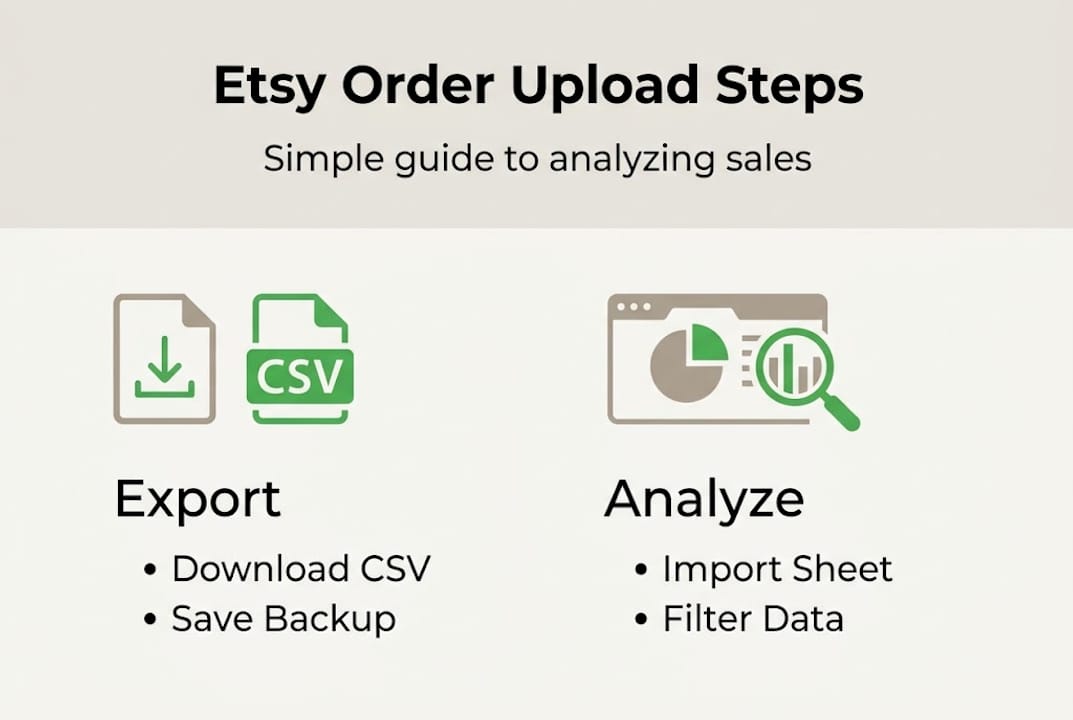
- Click Download CSV and save the file to your designated folder.
As noted in Etsy export documentation, sellers export orders from Shop Manager > Settings > Options > Download Data, selecting Order CSV for order-level data or Order Item CSV for item-level detail for a specific month and year.
Order CSV vs. Order Item CSV: which should you use?
- Order CSV: One row per transaction. Best for campaign-level metrics like total revenue, order count, and average order value (AOV). Most sellers running ad analysis will use this format.
- Order Item CSV: One row per item within each order. Useful if you sell multiple product types and want to see which specific items are driving ad-attributed sales.
For ad performance tracking, the Order CSV is the right starting point. It gives you the transaction-level view you need to match orders back to campaign spend.
Important: Always select the correct date range before downloading. A mismatch between your ad reporting period and your order export period will produce misleading comparisons. Monthly downloads aligned with your ad billing cycles are the most reliable approach.
Pro Tip: Keep a backup of every raw CSV download before you modify it. Once you start filtering or deleting columns in a spreadsheet, the original data is gone. Store unedited copies in a separate "Raw" subfolder.
Import data into Google Sheets or Excel for actionable analysis
Once the CSV is downloaded, you're ready to turn that file into real insights.

Importing your CSV into a spreadsheet tool takes less than a minute. Here's how to do it in both platforms:
Google Sheets:
- Open Google Sheets and create a new spreadsheet.
- Go to File > Import > Upload and select your CSV file.
- Choose "Comma" as the separator and click Import Data.
Microsoft Excel:
- Open Excel and go to Data > Get External Data > From Text/CSV.
- Select your file, confirm the delimiter is set to comma, and click Load.
Once imported, your data is ready for analysis. Exported CSV files can be manually imported into Google Sheets or Excel for analysis, enabling calculations like top customers, sales trends, and AOV using QUERY functions or pivot tables.
Key analyses you should run:
- Customer segmentation: Identify repeat buyers vs. first-time customers to understand which ad campaigns drive loyalty.
- Sales trends: Chart daily or weekly order volume to spot spikes that correlate with specific ad pushes.
- Ad-attributable sales: Filter orders by date ranges matching your active campaigns to estimate revenue driven by ads.
- Improving Etsy conversion rate: Cross-reference order data with traffic sources to see where buyers actually come from.
Core metrics to track in your spreadsheet:
| Metric | What it tells you | How to calculate | |---|---|---| | Average order value (AOV) | Revenue per transaction | Total revenue / order count | | Order count | Volume of sales | Count of order rows | | Ad spend | Campaign cost | Pulled from ad platform reports | | Conversion rate | Efficiency of ad traffic | Orders / clicks x 100 | | Revenue per campaign | Campaign-level ROI | Sum of orders tagged to campaign |
"Tracking the right metrics isn't about having more data. It's about having the specific numbers that tell you whether your ad spend is producing profitable outcomes."
For deeper analysis, use Google Sheets' QUERY function to filter orders by date, product type, or customer location. Pivot tables in Excel work equally well for summarizing large datasets quickly. If you're also tracking Etsy ads data across Facebook, TikTok, and Google, aligning your spreadsheet columns with campaign names from each platform makes reconciliation much faster.
Automate recurring order uploads with Coupler.io
For ongoing ad optimization, automation means you'll never miss a data update.
If you're reviewing ad performance weekly, manually downloading and importing CSVs every few days gets old fast. Coupler.io solves this by scheduling automatic Etsy order imports directly into Google Sheets.
How to set up Coupler.io for automated Etsy imports:
- Create a free or paid account at Coupler.io.
- Start a new importer and select Etsy as your data source.
- In your browser, open Etsy's Download Data page and use developer tools (F12 in Chrome) to capture the CSV download URL and your session cookie.
- Paste the URL and cookie into Coupler.io's source configuration.
- Select your destination: choose your Google Sheet and the specific tab.
- Set your refresh schedule, such as daily at 6 AM or every Monday morning.
- Run a test import to confirm data is flowing correctly.
As outlined in Coupler.io's automation guide, you can schedule recurring imports of Etsy orders CSV to Google Sheets without coding by capturing the download URL and cookie from browser dev tools.
Manual vs. automated upload: a direct comparison
| Factor | Manual export | Automated via Coupler.io | |---|---|---| | Setup time | Under 5 minutes | 30 to 60 minutes (one-time) | | Ongoing effort | High (every import cycle) | Near zero | | Data freshness | Only when you do it | Daily or weekly on schedule | | Best for | One-off or monthly reviews | Active ad campaigns | | Cost | Free | Coupler.io subscription required |
Manual CSV export is simplest for one-off analysis, but automation via Coupler.io is the better fit for regular ad optimization where stale data leads to poor decisions.
For sellers running a 30-day Etsy ads strategy, having fresh order data flowing automatically every morning means your weekly reviews are based on complete, current numbers rather than last week's snapshot.
Pro Tip: Once you've set up Coupler.io, add a "Last Updated" timestamp formula in your Google Sheet so you always know exactly when the data was last refreshed. This prevents you from making decisions on stale imports without realizing it.
What most Etsy sellers miss about order data analysis
You've seen the technical how-tos. Here's the bigger picture most guides overlook.
Exporting and importing data is the easy part. The real opportunity is in using that data to understand why certain campaigns perform the way they do, not just that they produced sales.
Most sellers look at total orders and revenue. The sellers who consistently improve their ad ROI go further. They match specific orders to the campaigns that drove them, analyze which days and times produce the highest conversion rates, and identify which product types attract buyers versus browsers. This level of analysis is only possible when your order data is clean, current, and structured.
Using search term data alongside your order exports adds another layer. When you can see which search terms preceded a purchase and then match that to an order in your CSV, you start making budget decisions based on actual buyer behavior rather than impressions or clicks.
Manual analysis is perfectly valid for a monthly review. But if you're running ads every week and only looking at data once a month, you're optimizing too slowly. Automation isn't just about convenience. It's about maintaining the data accuracy and frequency that serious ad optimization requires. Surface-level tracking produces surface-level results. The sellers pulling ahead are the ones treating their order data as a strategic asset, not just a record-keeping tool.
Level up your Etsy ad analysis with IndiePixel
Ready to translate your new analytical workflow into real-world results?
Manually exporting CSVs and building spreadsheet models is a solid foundation, but it still leaves a gap between your order data and your actual ad campaigns. IndiePixel closes that gap.

With the Etsy Ad Tracking platform, you get a unified dashboard that connects your Etsy purchase data directly to your Facebook, TikTok, and Google Ads campaigns. Instead of manually reconciling spreadsheets, you can see which campaigns are generating real sales, not just clicks. The Cart Count Checker tool also lets you validate product demand before you spend a dollar on ads, adding a pre-spend layer to your workflow. If you're serious about improving ad ROI, IndiePixel gives you the attribution clarity that spreadsheets alone cannot.
Frequently asked questions
How do I export Etsy orders as a CSV file?
Go to Shop Manager > Settings > Options, then under the Download Data tab select Orders CSV for the desired month or year and click Download.
Can I analyze Etsy order data without coding experience?
Yes. Exported CSV files can be imported directly into Google Sheets or Excel, where built-in tools like filters, pivot tables, and QUERY functions handle the analysis without any coding required.
How can I make Etsy order uploads automatic?
Coupler.io lets you schedule recurring imports of your Etsy orders CSV into Google Sheets by capturing the download URL and session cookie from your browser's developer tools, then setting a refresh interval.