Facebook Conversion API: Fix Etsy Ad Tracking Now
Learn what is Facebook CAPI and how to fix Etsy ad tracking effectively. Get reliable data and optimize your ad spend today!
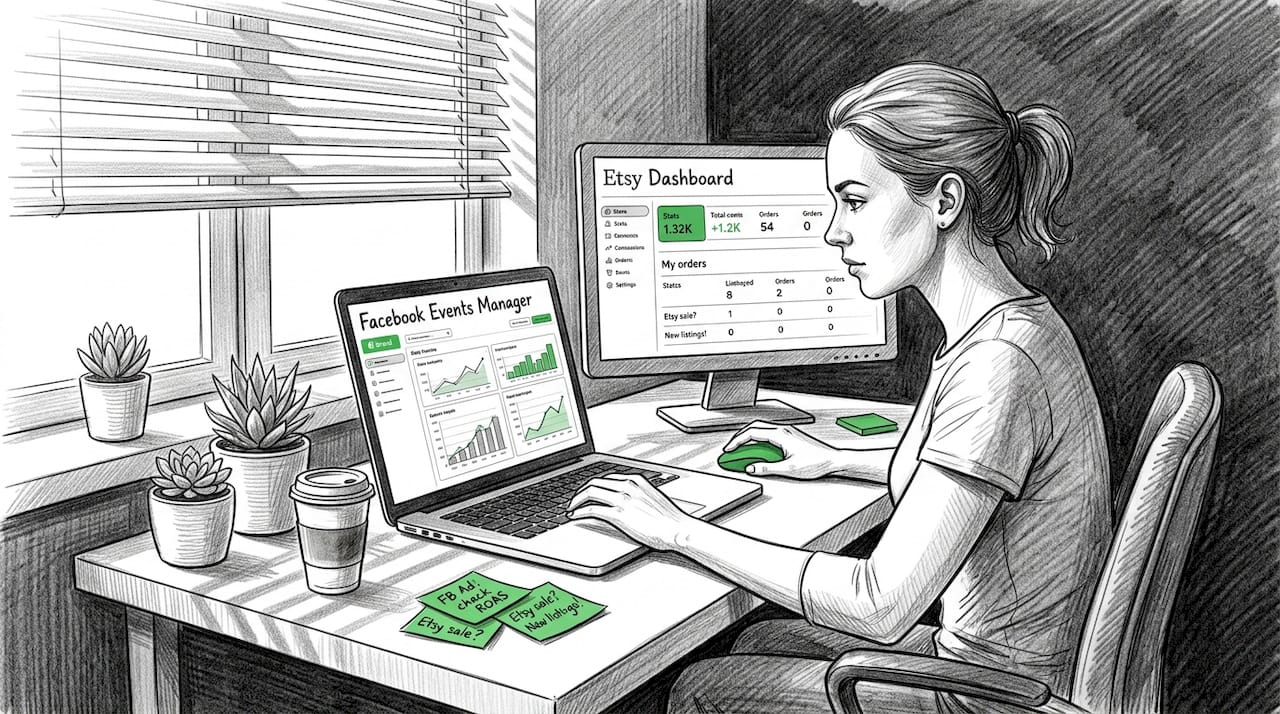
Running Facebook ads for your Etsy shop or small online store should give you clear answers about what's working. Instead, many sellers find their conversion data incomplete, inconsistent, or just plain wrong. After Apple's iOS 14 privacy updates, browser-based tracking dropped significantly, leaving a real gap in ad reporting. Facebook's Conversion API, commonly called CAPI, is the solution most sellers have heard about but few fully understand. This guide breaks down exactly what CAPI does, how it compares to pixel tracking, what pitfalls to avoid, and how to set it up correctly so your ad spend starts generating reliable, actionable data.
Table of Contents
- What is Facebook Conversion API? Explaining the essentials
- How CAPI works: Key features and technical differences
- Key challenges and limitations: Common issues ecommerce sellers face
- Getting started: Step-by-step guide for Etsy and small retailer setups
- Why most Etsy sellers miss out: Hard truths about Facebook CAPI
- Upgrade your Etsy ad tracking: IndiePixel solutions for Facebook CAPI
- Frequently asked questions
Key Takeaways
| Point | Details | | --- | --- | | Recover lost event data | Facebook Conversion API recaptures conversions missed by pixel tracking due to privacy restrictions. | | Boost campaign performance | Etsy sellers see a 15–30% lift in ad optimization by implementing CAPI and verifying results. | | No-code setup available | Shopify users can enable CAPI easily through the native Facebook integration, requiring no coding. | | Avoid common pitfalls | Complete event parameters and deduplication are critical for accurate tracking—always test and validate. |
What is Facebook Conversion API? Explaining the essentials
To start addressing tracking confusion, let's clarify what Facebook Conversion API actually is.
Facebook Conversion API is a server-side tracking tool. Instead of relying on a browser to fire tracking signals, CAPI sends conversion data directly from your server to Facebook. That means it works independently of browser privacy settings, ad blockers, and cookie restrictions that have made pixel tracking far less reliable over the past few years.
Traditional pixel tracking works by placing a small piece of JavaScript code on your website. When a visitor loads your page or completes a purchase, the pixel fires and sends that event to Facebook. The problem is that this process depends entirely on the browser cooperating. With iOS privacy updates requiring users to opt out of tracking, iOS ATT blocks 20-40% of pixel data, and CAPI is the primary tool for recovering most of it.
If you're running Facebook ads for Etsy shops, this data loss directly impacts your campaign optimization. Facebook's algorithm uses conversion signals to find more buyers like your existing customers. Fewer signals mean weaker targeting, higher costs per result, and campaigns that plateau quickly.
Here's what CAPI brings to the table:
- Restores lost conversion data from iOS users and users with ad blockers
- Improves campaign optimization by giving Facebook's algorithm more accurate signals
- Supports deduplication, which prevents the same conversion from being counted twice when both pixel and CAPI fire
- Captures more event types, including delayed conversions and offline purchase events
- Works across marketplace limitations, helping sellers who operate on Etsy alongside their own sites
"Server-side tracking through CAPI isn't just a backup for the pixel — it's a more reliable primary data source that browsers can no longer consistently provide."
Understanding this difference is the foundation for everything else. You can read more about Meta Conversions API for Etsy setups specifically, because marketplace sellers face unique constraints that direct-to-consumer retailers don't.
How CAPI works: Key features and technical differences
Now that you understand the basics, let's see how CAPI differs from the traditional pixel and how it's implemented.
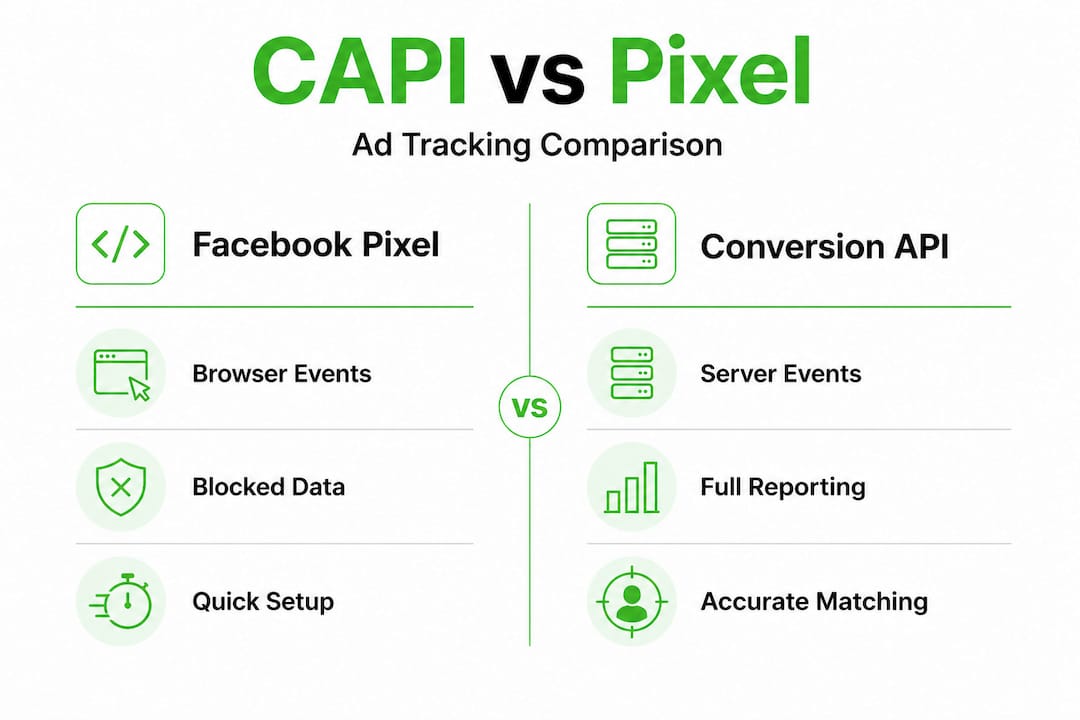
The table below captures the core differences between the two tracking methods:
| Feature | Facebook Pixel | Conversion API (CAPI) | |---|---|---| | Tracking method | Browser-side JavaScript | Server-side data transfer | | Reliability | Affected by iOS, ad blockers | Highly reliable, browser-independent | | Attribution recovery | Limited after iOS 14 | Recovers most lost events | | Ease of setup | Simple code snippet | Requires integration or platform support | | Deduplication | Not built-in | Built-in deduplication logic | | Data freshness | Real-time | Near real-time (slight delay possible) |
One of the most important technical concepts in CAPI implementation is the Event Match Quality (EMQ) score. Facebook assigns each conversion event an EMQ score from 0 to 10. The score reflects how much customer data was included with the event, such as email addresses, phone numbers, browser IDs, and IP addresses. A score above 8 is considered strong. Higher EMQ scores lead to better attribution, which means Facebook can correctly credit your ads for more purchases.
When you track conversions from Etsy ads, maximizing your EMQ score is critical. You want to send as many matching parameters as possible with every event, including hashed email addresses, client IP, user agent, and the Facebook click ID (fbclid) when available.

Deduplication is another key feature. When both the browser pixel and CAPI send the same event, Facebook's system compares event IDs and timestamps to avoid counting one conversion twice. Without proper deduplication setup, your reported conversions can be inflated, leading to bad decisions about budget allocation.
Pro Tip: If you're on Shopify, the native Facebook & Instagram sales channel auto-sends standard events like Purchase and AddToCart with deduplication already configured and no coding required, capturing 15-25% more events compared to pixel-only tracking.
Understanding Etsy attribution windows also matters here. Attribution windows determine how long after a click or view Facebook will credit a conversion to an ad. Aligning your CAPI event timing with your attribution window settings ensures you're comparing data on equal terms.
Key challenges and limitations: Common issues ecommerce sellers face
After understanding CAPI's advantages, it's vital to know the common obstacles and errors encountered during implementation.
CAPI is powerful, but it's not error-free. Real-world implementation surfaces several recurring issues that can undermine your tracking accuracy if left unaddressed.
Top challenges sellers encounter:
According to analysis of common CAPI edge cases, the most frequently seen problems include:
- Deduplication failure: If event IDs aren't correctly matched between pixel and CAPI events, Facebook counts them separately, inflating your conversion numbers
- Poor EMQ from missing hashed data: If you're not sending email, phone, or IP data with your events, your EMQ score drops, reducing how many conversions Facebook can attribute
- Delayed CRM events without fbclid storage: If you're using a CRM to send purchase events days after the original click, you need to store the fbclid at the time of the click or attribution will fail
- Bot traffic inflating events: Server-side tracking doesn't automatically filter bots, so unfiltered traffic can send false purchase events to Facebook
Statistic to note: CAPI typically recovers 15-30% of conversion events lost due to iOS privacy restrictions. That's a meaningful improvement, but it's not a perfect recovery. Some data remains unrecoverable depending on the user's privacy settings and behavior.
To address these issues, here is a practical troubleshooting sequence:
- Audit your event IDs: Confirm that pixel and CAPI events for the same action share a unique event ID. Check this in Facebook Events Manager under the "Match quality" tab.
- Review your parameter list: Ensure you're sending at minimum: email (hashed), phone (hashed), client IP address, user agent, and event source URL.
- Store fbclid on click: Add fbclid capture to your landing pages so delayed conversion events can still be attributed correctly.
- Filter bot traffic: Use IP blocklists and user agent filtering on your server before sending events to Facebook.
- Validate in test mode: Use Facebook's Test Events tool to confirm events are firing correctly before going live.
Pro Tip: Always verify your CAPI-reported conversions against your actual backend sales data. If CAPI is reporting 50 purchases but your order management system shows 38, something is misfiring. Use this reconciliation check weekly during the first month of any new setup.
You can learn more about strategies to bridge Etsy ad data for campaigns that run alongside your Etsy store. Sellers who combine CAPI data with conversion rate improvements tend to see the strongest results, so reviewing your Etsy conversion rate alongside your tracking setup is a smart move.
Getting started: Step-by-step guide for Etsy and small retailer setups
Knowing the challenges, here's how you can actually connect Facebook CAPI for your online shop and which method is best for your needs.
Your setup path depends on your platform. Shopify sellers have the easiest route. Sellers operating through Etsy or custom platforms need a different approach.
For Shopify sellers:
Enabling CAPI via Shopify's native Facebook & Instagram sales channel is the most straightforward path:
- Install the Facebook & Instagram app from the Shopify App Store
- Connect your Meta Business Manager account
- Navigate to "Data sharing" settings within the app
- Set data sharing to "Maximum" to enable full CAPI functionality
- Verify your domain in Meta Business Manager if not already done
- Confirm events are appearing in Facebook Events Manager
For Etsy sellers and non-Shopify retailers:
Etsy's marketplace doesn't allow direct pixel installation on product pages. Your options include:
- Using no-code CAPI gateway tools or dedicated apps that capture purchase signals from your post-sale flow
- Uploading order data manually or via CSV to Facebook's offline conversions tool
- Using a third-party attribution platform to capture and relay conversion signals
The table below outlines the main setup options:
| Setup method | Best for | Parameters supported | Difficulty | Performance | |---|---|---|---|---| | Shopify native | Shopify stores | Full set (auto) | Low | Highest | | No-code CAPI apps | Small retailers, Etsy | Partial to full | Low to medium | Good | | Manual CSV upload | Any seller | Full (manual entry) | Medium | Moderate | | Custom server-side | Developers | Full | High | Highest |
Regardless of your method, aim for these best practices to maximize tracking for Etsy and other small retail setups:
- Target an EMQ score above 8 by sending as many customer match parameters as possible
- Test every event type in Facebook's Test Events tool before launching campaigns
- Use deduplication event IDs consistently across pixel and server events
- Set your data sharing to the maximum level your platform allows
- Expect a 15-30% performance lift but always cross-reference against your actual order data
The key principle throughout is validation. Don't assume events are sending correctly just because setup is complete. Spend the first week checking Events Manager daily to confirm data quality before scaling your ad budget.
Why most Etsy sellers miss out: Hard truths about Facebook CAPI
There's a recurring pattern we see with Etsy sellers who set up CAPI but don't see meaningful improvements in their campaigns. The issue usually isn't the tool. It's how they're using it.
Most sellers stop at installation. They connect CAPI, see events appearing in Events Manager, and assume the work is done. But there's a significant difference between events appearing and events being useful. An event with an EMQ score of 4 because it's missing email hash and IP address data contributes far less to Facebook's algorithm than a well-formed event with a score of 9 or above.
The conventional advice is "just add CAPI." That framing is incomplete. What actually drives results is the quality of the data you're sending, not just the fact that you're sending something. Sellers who invest time in improving their Etsy listing conversion rates alongside their CAPI setup see compounding benefits, because more real purchases generate better training signals for Facebook's algorithm.
Backend validation is another overlooked step. We consistently find that sellers who never compare their CAPI data to actual order records are either over-counting or under-counting conversions. Both scenarios lead to poor budget decisions. Over-counting makes campaigns look more profitable than they are. Under-counting causes sellers to pause ads that are actually working.
The sellers who get the most from CAPI treat it as an ongoing data hygiene practice, not a one-time setup task. They review EMQ scores weekly. They reconcile CAPI conversions against shop orders monthly. And they adjust their parameter sets whenever they add new traffic sources or customer touchpoints.
That level of discipline is what separates sellers who run profitable Facebook campaigns from those who feel like they're guessing.
Upgrade your Etsy ad tracking: IndiePixel solutions for Facebook CAPI
If you're ready to get more from your ad tracking, IndiePixel offers tools and services designed specifically for Etsy and small e-commerce businesses.
IndiePixel bridges the gap between Etsy's limited native tracking and the data quality Facebook's Conversion API requires. The platform captures purchase signals from your Etsy shop, sends properly formatted conversion events to Facebook with full parameter sets, and gives you a unified dashboard to monitor attribution accuracy across campaigns. You don't need to manage complex server setups or manually upload CSV files every week.
Before you scale your ad spend, use the Etsy cart count checker to validate interest signals and ensure you're allocating budget toward listings with real purchase intent. Then let IndiePixel's ad tracking tools handle the CAPI synchronization so your campaigns are always optimizing on accurate, complete data.
Frequently asked questions
How does Facebook Conversion API help Etsy sellers?
CAPI recovers lost ad event data blocked by privacy updates, giving Etsy sellers clearer reporting and better campaign optimization. Since iOS ATT blocks 20-40% of pixel data, CAPI fills that gap with server-side conversion signals.
Is coding required to set up CAPI for small retailers?
No coding is needed for Shopify sellers, since the native app auto-sends standard events with deduplication already built in. Non-Shopify sellers can use no-code gateway apps to achieve similar results without developer help.
What are the most common CAPI setup mistakes?
The most frequent errors are missing full parameter sets that lower EMQ scores, skipping deduplication configuration, and not validating events in Facebook Events Manager. Deduplication failure causes double-counting while poor EMQ from incomplete hashed data reduces attribution accuracy.
How much improvement can Etsy sellers expect using CAPI?
Sellers can expect to capture 15-25% more events compared to pixel-only tracking, with an overall campaign performance lift of 15-30%. Results should always be verified against actual backend sales data to confirm accuracy.