How CSV uploads transform reporting for Etsy sellers
Learn how CSV uploads help Etsy sellers and small retailers import offline conversions, fix attribution gaps, and optimize ad campaigns with complete data.

Most Etsy sellers and small online retailers assume their ad platform dashboards capture every sale. They check Google Ads or Meta Ads Manager, see some conversions, and make budget decisions based on that data. The problem is that native reporting often misses a significant share of actual purchases, especially those that happen outside the tracked online path. CSV uploads offer a direct, practical way to close this gap. By importing external purchase data into your ad platforms, you give the algorithm a complete picture of what your campaigns are actually driving, and that changes everything about how you optimize.
Table of Contents
- Why native reporting isn't enough for Etsy and small retailers
- How CSV uploads power better ad reporting
- Key use cases for CSV uploads in small business reporting
- Common pitfalls and expert tips for CSV uploads
- What most guides miss about CSV uploads for small retailers
- Connect your reporting with IndiePixel solutions
- Frequently asked questions
Key Takeaways
| Point | Details | | --- | --- | | Native reporting limits | Ad platforms and marketplaces often miss key conversions, making CSV uploads critical for accurate performance tracking. | | CSV workflow advantage | Uploads let you link offline sales and detailed events to campaigns, boosting optimization and ROI clarity. | | Pitfalls to avoid | Following best practices and platform rules ensures data accuracy and prevents upload failures. | | Easy wins for small teams | Regular, well-structured CSV uploads can drive smarter ads without the need for complex or costly software. |
Why native reporting isn't enough for Etsy and small retailers
Built-in ad analytics are useful, but they were not designed to handle the specific measurement challenges that Etsy sellers and small retailers face every day. Etsy's marketplace structure limits your ability to place tracking pixels directly on purchase confirmation pages. That means a customer who clicks your Google Ad, lands on your Etsy listing, and completes a purchase may never be recorded as a conversion in your ad account. You see the click. You see the cost. You never see the sale.
This is not a minor data gap. It directly affects how ad platforms optimize your campaigns. Google's Smart Bidding and Meta's Advantage+ both rely on conversion signals to decide who sees your ads next. When those signals are incomplete, the algorithm optimizes toward the wrong outcomes, often spending more to reach people who are less likely to buy.
Here is where the limitations become most visible for Etsy sellers:
- Pixel restrictions: Etsy does not allow third-party pixels on its checkout pages, so standard event tracking fails at the most critical moment.
- Attribution gaps: Sales that occur after a long consideration period often fall outside the default attribution window, meaning they go uncounted.
- Cross-device drop-off: A customer who clicks on mobile but purchases on desktop may not be matched, creating duplicate or missing records.
- Offline and delayed conversions: Any sale that happens through a custom order, direct message, or repeat purchase without an ad click is invisible to native reporting.
"CSV uploads enable small online retailers and Etsy sellers to import offline conversion data into Google Ads, bridging the gap between online ad clicks and offline sales for accurate performance tracking and campaign optimization."
Understanding how to track conversions for Etsy ads is the first step toward fixing this. A solid Google Ads tracking guide can help you map out exactly where your data breaks down and where CSV uploads can fill the void.
How CSV uploads power better ad reporting
To overcome missing data, CSV uploads offer a robust solution. Instead of relying on a pixel to fire at the right moment, you manually export your purchase data and import it directly into your ad platform. The ad platform then matches each sale back to the original ad click using a unique identifier called a GCLID (Google Click Identifier), which is appended to your landing page URL when someone clicks your ad.
Here is the standard workflow for Google Ads:
- Download the official CSV template from your Google Ads account under Goals > Conversions > Uploads.
- Populate the required fields: GCLID, conversion name, conversion time, and conversion value.
- Format your data correctly: dates must follow ISO 8601 format, and currency values must match your account settings.
- Upload the file through Goals > Conversions > Uploads in your Google Ads dashboard.
- Monitor the status: the platform will flag any errors and confirm accepted rows.
Conversion data processes in approximately 3 hours and then appears in your Conversions columns, ready to inform bidding and reporting.
| Method | Data source | Best for | |---|---|---| | Pixel tracking | Real-time browser events | Standard ecommerce sites | | CSV upload | Exported purchase records | Etsy, offline, delayed sales | | Conversions API | Server-side event data | High-volume, automated setups |
Pro Tip: Always capture GCLIDs in your own order records at the time of the click. If you wait until after the purchase to try to retrieve them, you may find they are no longer accessible, and the upload will fail to match.
For Etsy-specific workflows, uploading Etsy purchase data requires mapping your order export columns to the platform's required fields. For Meta, the process differs slightly, and the Meta Conversions API guide walks through the equivalent steps for Facebook and Instagram campaigns.

Key use cases for CSV uploads in small business reporting
So how do these upload workflows show up in real business practice? The answer depends on your sales channels and how you currently track customer journeys.
Here are the most common and high-value scenarios for Etsy sellers and small retailers:
- Closed-loop attribution for Etsy sales: Export your Etsy order data, match it to your ad click records using GCLIDs, and upload the matched conversions to Google Ads. This gives you a direct line between ad spend and actual revenue.
- Cross-platform ROI calculation: If you run ads on both Google and Meta, CSV uploads let you feed purchase data into both platforms separately, giving each one the signal it needs to optimize correctly.
- Batch uploads for product tests: Running a 30-day test across multiple product listings? Upload conversion data in weekly batches to keep your reporting current without overwhelming the system.
- Custom and repeat orders: Sales that originate from a direct message or a returning customer who did not click an ad that session can still be imported if you have the original GCLID stored from their first visit.
The primary role for small retailers using CSV uploads is to enhance ad optimization beyond what platform-native reporting can provide, particularly when Etsy's export data is the only reliable source of truth for purchase events.
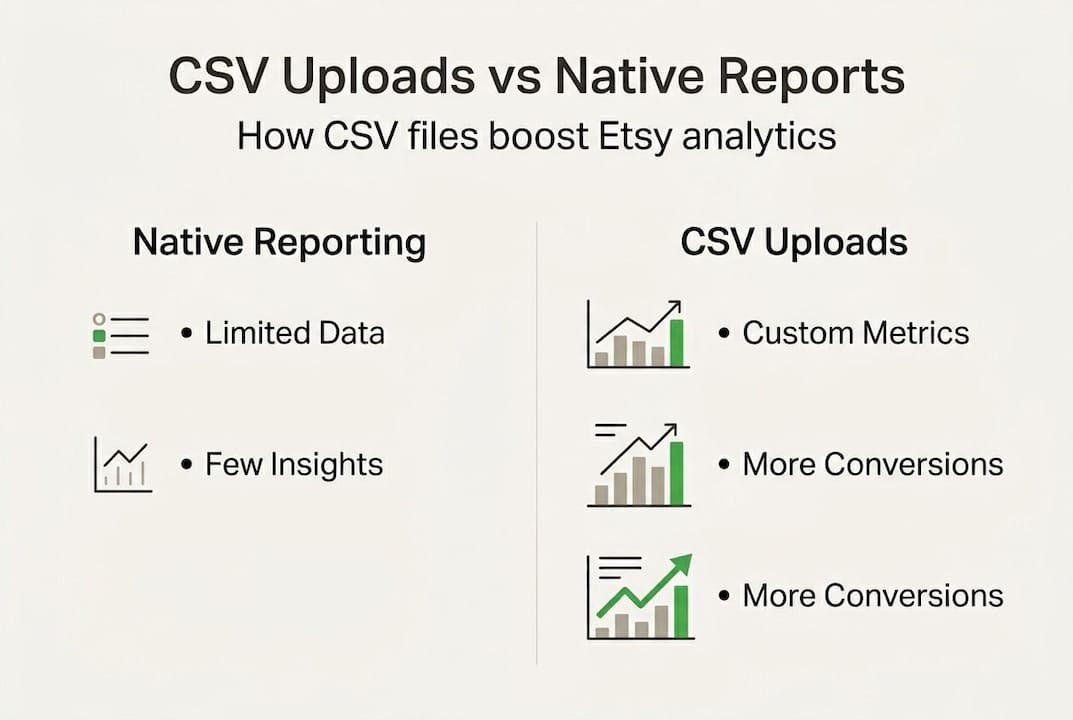
This approach is especially valuable for small teams that do not have a CRM or expensive marketing automation tools. You do not need a complex tech stack to run effective closed-loop reporting. You need a spreadsheet, a consistent process for capturing GCLIDs, and a weekly upload habit. Focusing on improving Etsy conversion rates becomes far more actionable once you can see which campaigns are actually driving purchases. Pairing this with strong Etsy ad strategies gives you a complete framework for data-driven growth.
Pro Tip: Set a recurring calendar reminder to export and upload your conversion data every Monday morning. Consistent weekly uploads keep your bidding algorithms well-fed and your reporting accurate without requiring daily attention.
Common pitfalls and expert tips for CSV uploads
Like any workflow, CSV uploads come with their own set of pitfalls and pro strategies. Knowing what can go wrong before you start saves you time and prevents data corruption in your reporting.
Here are the most common issues and how to avoid them:
- Uploading conversions older than 90 days: Google Ads will reject any conversion where the click happened more than 90 days before the upload date. Always check your date range before submitting.
- Duplicate entries: The platform prevents duplicate conversions using unique GCLID and conversion name combinations. Uploading the same sale twice will not inflate your numbers, but it will trigger error warnings that slow down your workflow.
- Incorrect currency formatting: If your account uses micros (where 1 dollar equals 1,000,000 micros), submitting standard decimal values will cause major reporting errors. Confirm your account's currency format before populating values.
- Mismatched conversion action names: The conversion name in your CSV must exactly match the name of an existing conversion action in your account. Even a small typo will cause the row to be rejected.
| Common error | Cause | Fix | |---|---|---| | Rejected upload | Click older than 90 days | Filter exports to recent orders only | | Duplicate warning | Same GCLID uploaded twice | De-duplicate before upload | | Currency mismatch | Wrong value format | Check account settings for micros | | Name not found | Typo in conversion action name | Copy-paste name directly from account |
"Uploads older than 90 days post-click are rejected; duplicates are prevented via unique GCLID and conversion name combinations; use micros for currency if specified; SFTP is available for automation; test small batches first."
For automation, SFTP (Secure File Transfer Protocol) lets you schedule regular uploads without manual intervention. But start with small test batches before automating. A formatting error in an automated upload can silently corrupt weeks of reporting data. Following UTM parameter best practices alongside your CSV workflow ensures your click data is clean and matchable from the start. For a broader library of tracking resources, the full collection of Etsy ads and tracking guides covers platform-specific nuances in detail.
What most guides miss about CSV uploads for small retailers
Most tutorials on CSV uploads focus almost entirely on the technical steps: download the template, fill in the fields, hit upload. That is necessary information, but it misses the bigger challenge that small Etsy sellers actually face.
The real barrier is not technical. It is operational. Sellers who struggle with CSV uploads are usually not confused about formatting. They are inconsistent about capturing GCLIDs at the time of the click, or they let weeks pass between uploads, which degrades the algorithm's ability to learn from the data.
Small, regular uploads outperform large, infrequent ones every time. A weekly batch of 10 to 20 conversions gives the platform a steady signal to work with. A monthly dump of 80 conversions arrives too late to influence the bidding decisions that already happened.
The other thing guides overlook is cross-system thinking. Your ad account, your Etsy shop, and your order records are three separate systems. CSV uploads only work well when all three are aligned: consistent naming, consistent date formats, and a clear process for matching clicks to purchases. The Etsy seller ad guide addresses this alignment in practical terms. Reporting improvement is most powerful when it changes how you act, not just what you measure.
Connect your reporting with IndiePixel solutions
Turning these strategies into consistent results requires the right tools working alongside your process.

IndiePixel ad tracking is built specifically for Etsy sellers who want to close the loop between ad spend and actual sales without spending hours on manual data prep. IndiePixel automates the conversion data collection process, prepares your CSV exports in the correct format for Google Ads and Meta, and syncs purchase signals across platforms. You can also use the Etsy Cart Count Checker to validate campaign performance before committing more budget. If you are ready to move from guesswork to data-driven ad decisions, IndiePixel gives you the infrastructure to do it efficiently.
Frequently asked questions
Why do ad platforms like Google require CSV upload for offline conversions?
CSV uploads let you import sales or events not tracked online, so you can match offline actions to your ad campaigns and optimize with full data. This is because offline conversion data cannot be captured by standard pixels, which only fire during browser sessions.
How fast does uploaded CSV data impact my ad reporting?
Once uploaded, conversion data processes in approximately 3 hours and then appears in your Conversions columns, ready to inform bidding decisions.
What mistakes should I watch out for when uploading CSVs?
Common errors include uploads older than 90 days, duplicate conversions, and formatting issues. Always review your data against platform requirements before submitting.
Can I automate CSV uploads to save time?
Yes, using SFTP or similar tools lets you schedule automated uploads, but test small batches first to catch formatting errors before they affect your full dataset.